freddy lets Claude answer questions about your sleep, recovery, workouts, and other health data in any conversation. Once connected, Claude reads your data live from your connected sources. Setup takes about two minutes.
Before you start
- A freddy account. Sign up free at freddy.coach.
- At least one data source connected and synced in your freddy dashboard. Garmin, Polar, Suunto, Oura, Withings, Intervals.icu, Hevy, and more all work.
- Claude Desktop or Claude.ai. Custom connectors work on every Claude plan, including the free plan (free accounts are limited to one custom connector at a time).
Step 1: Open Claude's connector settings
In Claude Desktop: open Settings (⌘ ,), then click Connectors.
On claude.ai: click your profile in the top right, then Settings, then Connectors.
On a phone? Open claude.ai in your mobile browser and use the connector settings there. The Claude mobile app can't add custom connectors, but the website can.
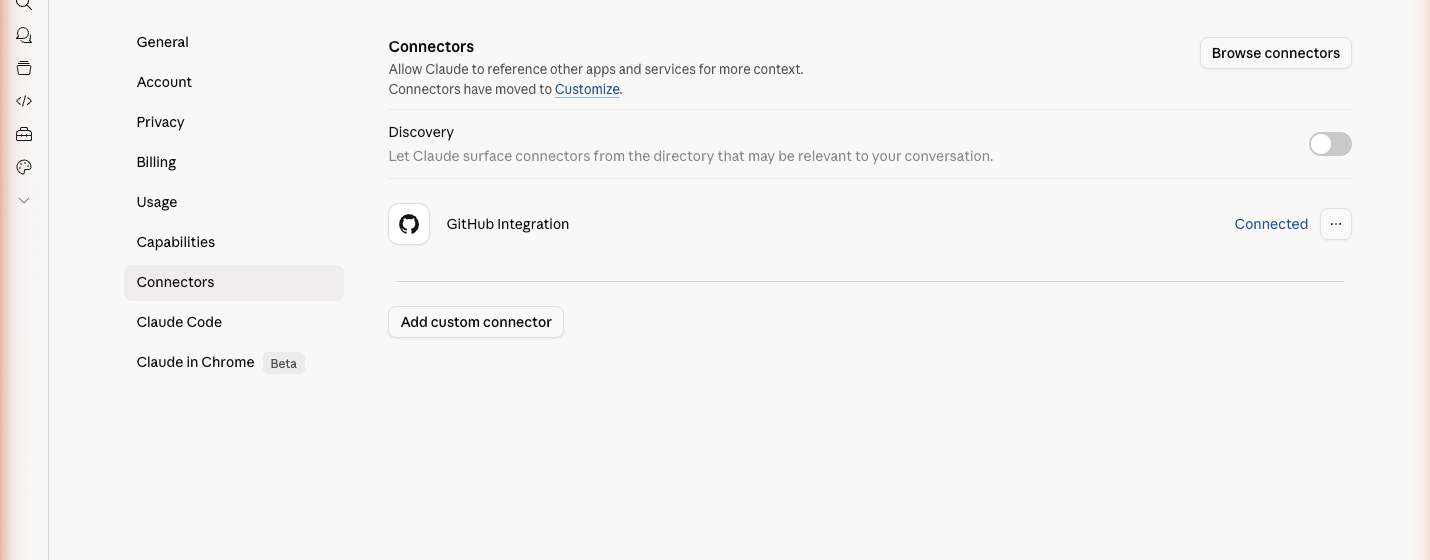
Step 2: Add freddy
Click "Add custom connector". In the Server URL field, paste:
https://freddy.coach/mcpClick Connect. Claude will open a freddy authorization page in your browser.
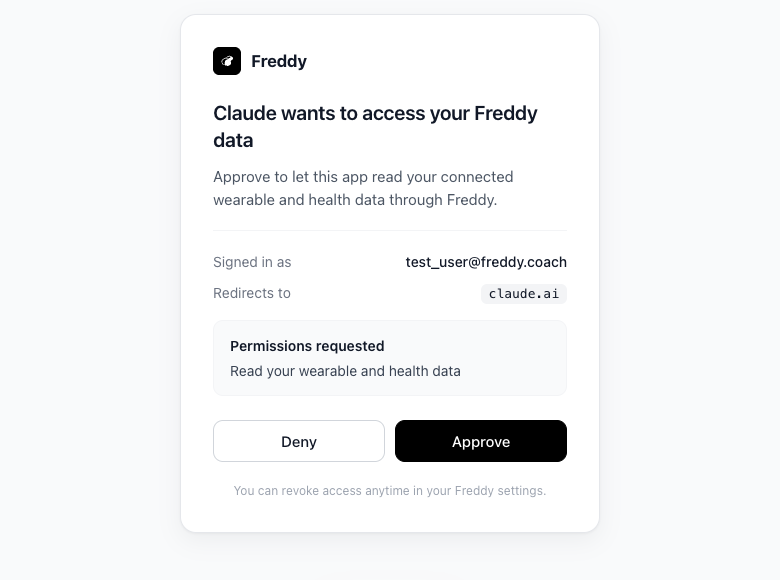
Sign in with the email you use for freddy, then approve the connection. You will be returned to Claude with freddy listed under your connectors.
Step 3: Try it
Start a new Claude conversation and try one of these:
1. "How did I sleep last night?"
Claude calls list_metrics to discover what sleep data you have, then query_metrics to fetch sleep duration, deep sleep, REM, and HRV for last night. You get a one-line answer plus context.
2. "What's available in my freddy data?"
Claude calls list_metrics, which returns every metric freddy has synced for you, the date range each covers, and the source. Useful right after connecting a new device.
3. "Show me my last five workouts and what zones I trained in."
Claude calls query_metrics with include_raw: true to fetch per-workout detail, including zone breakdowns and per-set strength data when applicable.
What freddy can answer
- Sleep: duration, stages, HRV, resting HR, sleep efficiency, hypnograms.
- Recovery: nightly recharge, autonomic balance, breathing rate, recovery scores.
- Training: workouts, durations, sports, calories, average and max heart rate, zones, training load, cardio strain, per-set strength data.
- Daily activity: steps, calories, distance.
- Continuous metrics: glucose (Dexcom), continuous heart rate.
- Body composition: weight, body fat, body water (Withings).
Troubleshooting
No data found. Make sure a data source is connected and synced in your freddy dashboard. New connections take a few minutes to backfill.
Authentication required. Claude's session with freddy may have expired. Remove and re-add the freddy connector in Claude.
Free plan limits. The free plan exposes the last 7 days of data and one data source. Upgrade to Pro for $49 per year to unlock full history and unlimited connections.
Cross-device differences. If you have two devices that both measure the same thing (HRV, for example), the numbers will not match. Devices use different methods (RMSSD vs SDNN), windows, and algorithms. freddy returns the source for every metric so Claude can explain the difference.
Your privacy
freddy reads your health data with OAuth tokens you grant. We do not share or sell your data. Tokens and stored health data are AES-256 encrypted at rest. See the privacy policy for the full details.
Need help?
Email [email protected], or message us in-app at freddy.coach/app/chat.