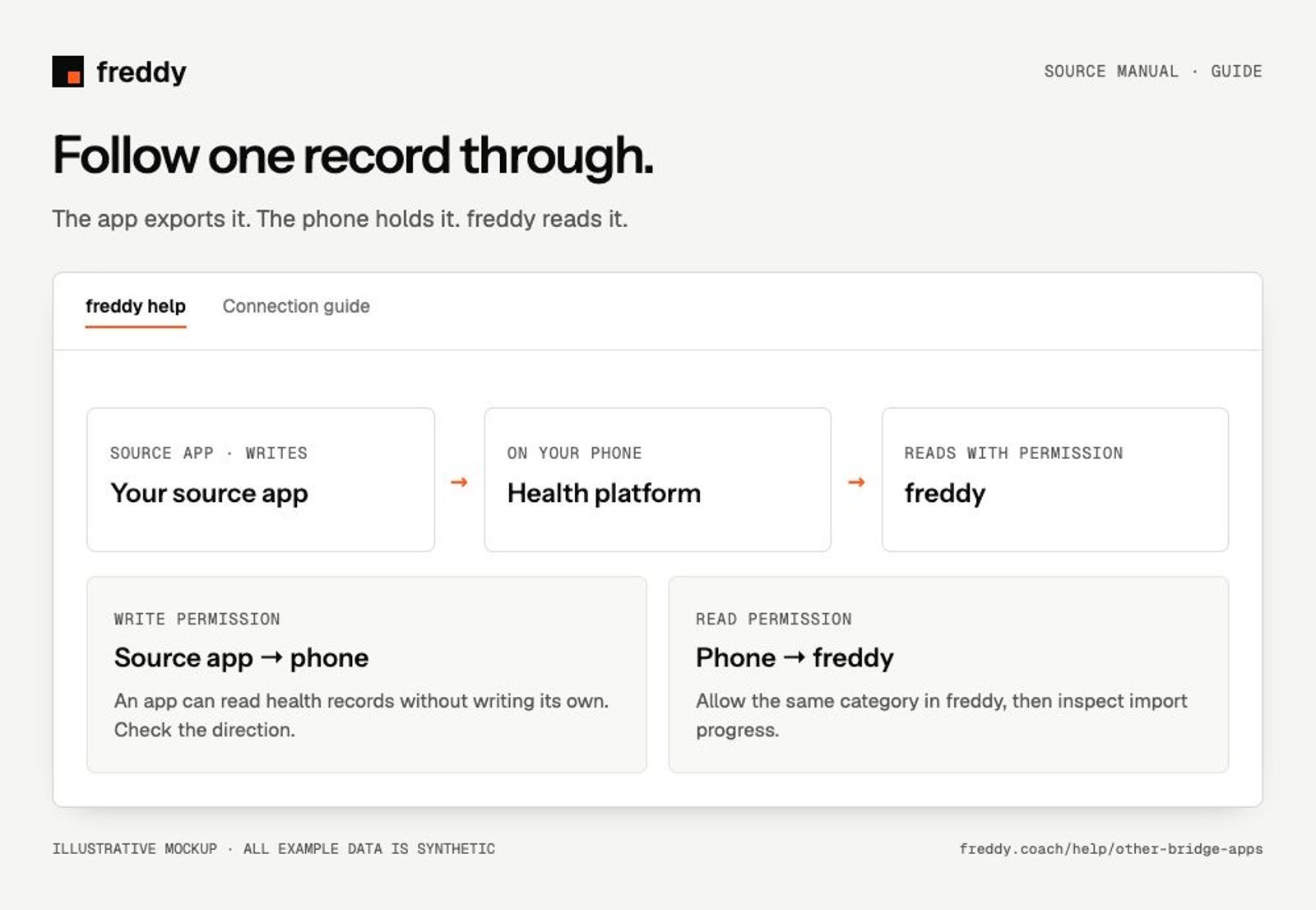
An app can feed freddy without a direct account connection if it writes supported records to Apple Health on iPhone or Health Connect on Android. This guide covers apps beyond the named source catalog.
Check whether the route exists
- Check the app’s own help or settings for Apple Health or Health Connect support on your phone. Google Fit alone is not the same as Health Connect.
- Check that it can write the data you want. Some integrations only read data into the app.
- Open the health platform and find an actual record from that app. Check the category, date and source name.
A logo, app listing or granted permission does not establish that records have been exported. freddy can only import supported categories that are actually present and readable.
Set it up on iPhone
- In the source app, enable Apple Health sharing and choose the categories it may write.
- In Apple Health, open the app’s data permissions and verify write access. Inspect an existing exported entry.
- In the freddy iPhone app, connect Apple Health and allow read access to the matching categories. Keep freddy open during the initial import.
Set it up on Android
- Enable Health Connect in the source app and grant write access for the chosen categories.
- In Health Connect, inspect the app permissions and an existing record. Use the same personal phone profile for both apps.
- In the freddy Android app, connect Health Connect and allow reads for those categories. Review history and background permissions when offered.
Find where data stopped
- Only in the original app: its export has not reached the phone platform. Check the app’s sharing options, account and sync.
- In Apple Health or Health Connect, but absent in freddy: check category read permissions, active source status and import progress.
- In freddy Data, but absent in an AI answer: check the requested dates, source names and your account’s query window.
What about old records?
The source app decides whether it exports old records. freddy cannot retrieve its private archive through the phone bridge. Health Connect also has a separate historical-read permission. Re-importing does not bypass either limit.
What if the app has no dedicated manual or logo?
Use the originating app name attached to the platform record to identify it. Recognition and data support are separate: a recognizable name does not mean every metric that app offers can be imported. If a permitted, supported record is present on the phone but missing in freddy, contact support with the app name, category and approximate date.
Avoid copies being counted twice
A watch workout may pass through several apps before reaching your phone. Compare source, start time and duration before combining totals. Ask your AI client to identify overlapping records and explain which source it uses.
Stop sharing
Turning off write access stops new exports from the source app. Pausing its source in freddy stops future import there. Clear stored history is separate; read the confirmation for the scope. Revoking a permission does not erase existing copies in every connected app.
Health Connect data permissions